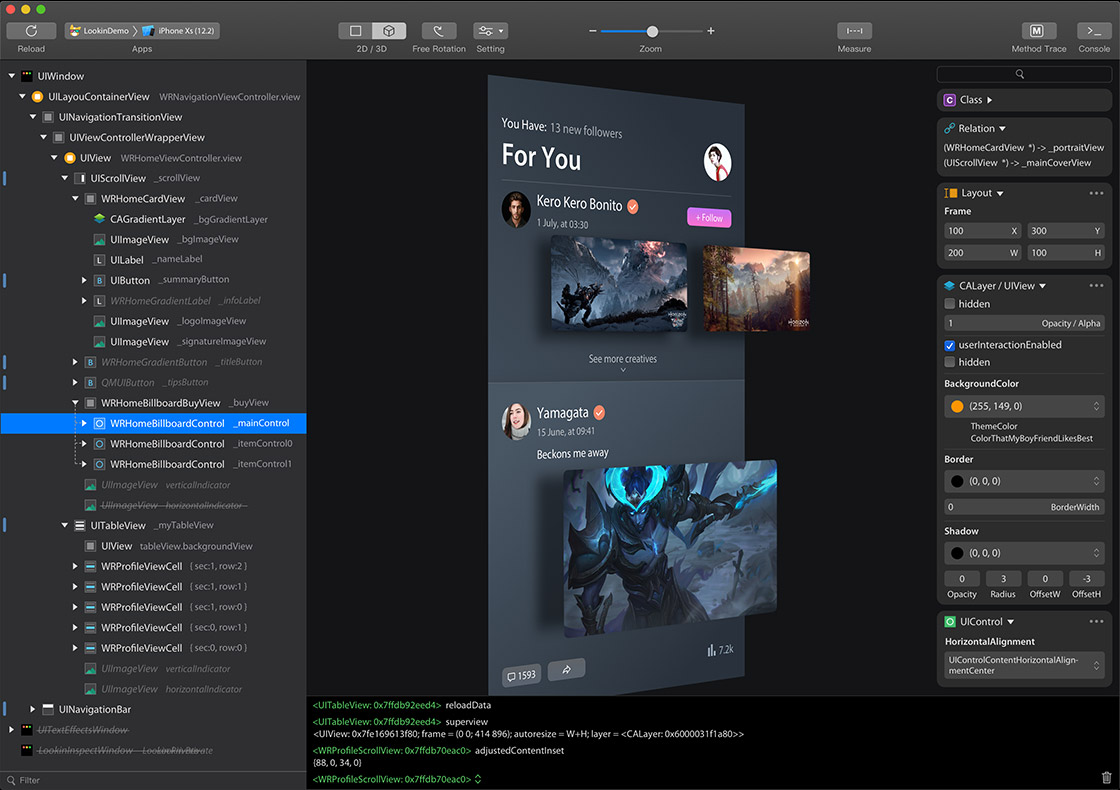
You can inspect and modify views in iOS app via Lookin, just like UI Inspector in Xcode, or another app called Reveal.
Official Website:https://lookin.work/
To use Lookin macOS app, you need to integrate LookinServer (iOS Framework of Lookin) into your iOS project.
Warning: Never integrate LookinServer in Release building configuration.
pod 'LookinServer', :configurations => ['Debug']
https://github.com/QMUI/LookinServer/
LookinServer: https://github.com/QMUI/LookinServer
macOS app: https://github.com/hughkli/Lookin/
Unfortunately, it's hard for me to spend much time on this free open-source side project.
I'll try my best to fix bug & feature issues, but I cannot give a timetable. Sorry for that.
Lookin 可以查看与修改 iOS App 里的 UI 对象,类似于 Xcode 自带的 UI Inspector 工具,或另一款叫做 Reveal 的软件。
如果这是你的 iOS 项目第一次使用 Lookin,则需要先把 LookinServer 这款 iOS Framework 集成到你的 iOS 项目中。
记得不要在 AppStore 模式下集成 LookinServer。
pod 'LookinServer', :configurations => ['Debug']
https://github.com/QMUI/LookinServer/
iOS 端 LookinServer:https://github.com/QMUI/LookinServer
macOS 端软件:https://github.com/hughkli/Lookin/
由于在公司里的正职实在是太忙了,导致我很难在这个开源免费项目上花费太多时间和精力。
所以 Bug 修复可能较慢,请见谅。